
Adult learning is powerful because it’s chosen. It’s also tricky because it has to fit around real life. If you’re taking an online course, prepping for a certification, learning a language (I’m currently working on Mandarin), or simply reading your way through a new topic, the right digital tools can turn “I’ll get to it later” into a study rhythm you can actually keep.
Below are 13 study tools I consistently recommend to adult learners, along with what each one is best for, a few watch-outs, and a simple way to start without overhauling your whole routine.

How to choose tools
Before you download anything new, pick your top goal for the next 2 to 4 weeks. Most people need only a few tools that work well together, not a folder full of apps.
- If you lose information: choose one primary note-taking app.
- If you forget what you learned: add a spaced repetition flashcard app.
- If you can’t start: add a focus timer or website blocker.
- If you can’t finish: add a simple task manager and weekly review ritual.
Now let’s build your toolkit.
Quick match guide
If you want the fastest way to pick a notes tool, use this:
- Simple, familiar notebooks: OneNote
- Databases and dashboards: Notion
- Local-first and linked thinking: Obsidian
- Capture and search (web, PDFs, screenshots): Evernote
Note-taking and knowledge
These tools help you capture what you learn, organize it, and find it later.
1) Notion
Best for: Building an all-in-one learning dashboard for courses, reading notes, and projects.
- Why lifelong learners use it: Notion combines notes, databases, checklists, and calendars in one place. It’s great for people juggling multiple classes, certifications, or long-term goals.
- Start here: Create one page called Learning Hub with three sections: “Courses,” “Notes,” and “Next Study Session.” Keep it simple for two weeks.
- Watch-outs: It’s easy to spend more time designing the system than studying. Use a basic template and move on.
- Pricing note: There’s a free plan, but some advanced features and team options are paid. If you mostly need personal notes and a simple dashboard, free is often enough.
2) Obsidian
Best for: Turning notes into a connected “second brain,” especially for research-heavy learning.
- Why it’s different: Notes are stored as plain text files on your device, and backlinks help you connect ideas over time. It’s fantastic for long-term knowledge building, not just course completion.
- Start here: Make a note for each concept and add one link to a related note. One link is enough.
- Watch-outs: The plugin ecosystem is powerful but can feel technical. Keep plugins minimal until your habit is solid.
- Pricing note: The core app is free for personal use. Paid add-ons (like official sync) can be helpful if you need seamless cross-device access.
3) Evernote
Best for: Capturing and searching notes, web clippings, and reference material quickly.
- Why it works well: Evernote is strong for “collecting” learning: saving articles, PDFs, screenshots, and meeting notes, then finding them with search later.
- Start here: Create three notebooks: “Inbox,” “Courses,” and “Reference.” Move items out of Inbox once a week.
- Watch-outs: If you prefer deep linking and structured knowledge graphs, you may like Obsidian more.
- Pricing note: The free plan can be limited, and limits have changed over time. Check current device and feature restrictions if you plan to rely on it heavily.
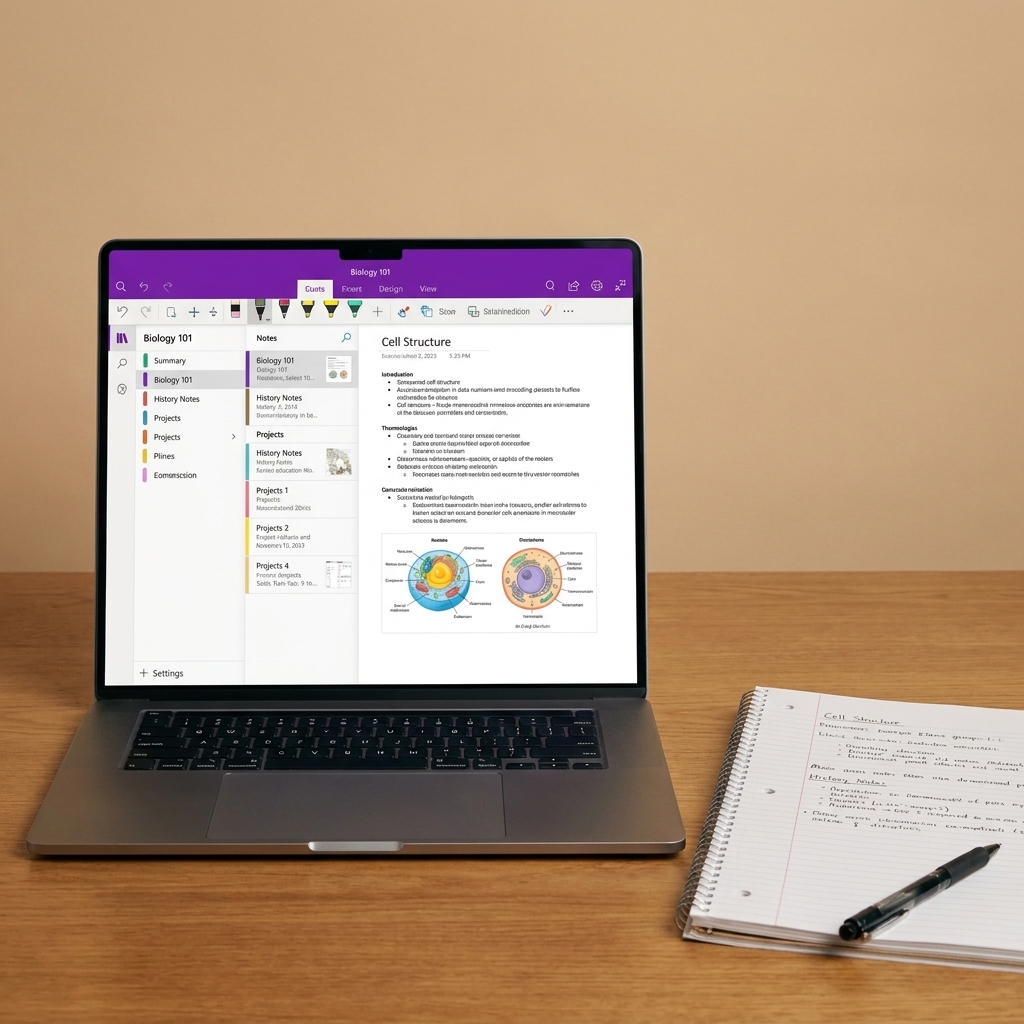
4) Microsoft OneNote
Best for: Learners who think in binders and tabs, and anyone already using Microsoft 365.
- Why it feels good: OneNote works like a digital notebook with sections and pages, which is comforting if you used paper notebooks in school. It also handles typing, handwriting, and quick audio notes well.
- Start here: Create one notebook per learning area, then one section per course or book.
- Watch-outs: Keep naming consistent so search stays helpful across devices.
- Pricing note: Many people can use it free. Some storage and features depend on your Microsoft account or Microsoft 365 plan.
Flashcards and memory
These tools help you remember what you study, especially vocabulary, formulas, timelines, and definitions.
5) Anki
Best for: Serious memorization with spaced repetition, especially for languages, medical content, and certifications.
- Why it’s evidence-backed: Spaced repetition is one of the most supported ways to build long-term recall, and Anki is a classic tool for doing it efficiently.
- Start here: Make 10 cards from your last study session. Keep cards short and specific, one fact per card.
- Watch-outs: The interface can feel utilitarian. The payoff is consistency, not aesthetics.
- Pricing note: Availability and pricing vary by platform (for example, desktop is commonly free, mobile may be paid depending on device). Check your device’s app store.
6) Quizlet
Best for: Quick flashcards with multiple study modes and easy sharing.
- Why learners like it: It’s fast to create sets, and the variety of modes can make review feel lighter after a long workday.
- Start here: Build a set after each module, then schedule two short review sessions each week.
- Watch-outs: Passive flipping isn’t enough. Use “test” or “write” modes to force retrieval.
- Pricing note: There is a free tier, but some modes and features may be paywalled. If you need a specific mode, confirm it’s included before you commit.
7) RemNote
Best for: Combining notes and spaced repetition in one workflow.
- Why it’s handy: You can turn parts of your notes into flashcards as you write, which reduces the “I should make flashcards later” problem.
- Start here: Take your normal notes, then convert only key terms into cards. Aim for 5 to 15 per session.
- Watch-outs: If you already have a note system you love, adding an integrated tool might feel like a big switch. Try it on one course first.
- Pricing note: Plans and limits vary, so check current details if you want cross-device sync or heavier daily usage.
Focus and distraction
These tools are less about learning content and more about protecting your attention, which is often the real bottleneck for adult learners.
8) Forest
Best for: Staying off your phone during study sessions with a gentle visual incentive.
- Why it helps: You set a focus period and grow a virtual tree while you work. The “don’t break the session” nudge is surprisingly effective.
- Start here: Use 25 minutes focus, 5 minutes break, repeat twice. Two cycles is a win.
- Watch-outs: If your learning happens on your phone, this may be less helpful. Consider a website blocker for desktop instead.
- Pricing note: Often a low-cost paid app on mobile, with browser options depending on your setup. Check your platform.
9) Freedom
Best for: Blocking distracting websites and apps across devices.
- Why it works: Freedom helps you pre-commit. When the block is active, your future self can’t bargain with your present self.
- Start here: Make one blocklist called “Study” and include your top 3 distractions. Schedule it for the same times you plan to study.
- Watch-outs: Start small. Overblocking can backfire if you need YouTube or Reddit for legitimate learning.
- Pricing note: Typically paid after a trial. Worth it if distraction is your biggest barrier and you want cross-device blocking.
10) Pomofocus (or any Pomodoro timer)
Best for: Getting started when motivation is low and time is limited.
- Why it’s effective: A timer gives your brain boundaries. You’re not committing to “study all night,” only to one focused block.
- Start here: Set one 25-minute timer and decide in advance what “done” looks like for that block.
- Watch-outs: Pomodoro is a tool, not a rule. Some deep work needs 45 to 60 minutes. Adjust to your energy and task.
- Pricing note: Many timers are free. Use the one you’ll actually open.

Planning, reading, consistency
These tools support the habits that make online learning sustainable: planning, reading effectively, and reviewing regularly.
11) Todoist
Best for: Turning vague goals into clear next steps you can actually complete after work.
- Why it stays lightweight: Todoist is clean and quick. You can set recurring study tasks, deadlines, and priority levels without building a complex system.
- Start here: Create one project called “Current Course.” Add tasks as verbs: “Watch Module 3 video,” “Do quiz,” “Make 10 flashcards,” “Review notes.”
- Watch-outs: A task list can’t replace a calendar. If time is your biggest challenge, add study blocks to your calendar too.
- Pricing note: The free plan covers basics well. Some power features are paid.
12) Readwise Reader (plus Readwise)
Best for: Reading online without losing highlights, and turning insights into reviewable notes.
- Why it fits adult learners: Many adults do most of their learning through articles, PDFs, and ebooks. Readwise helps you save highlights and resurface them later so your reading turns into retained knowledge.
- Start here: Save one long article you’ve been meaning to read. Highlight 5 key lines. Review the highlights once at the end of the week.
- Watch-outs: If you never revisit highlights, they become digital confetti. Schedule a short weekly review.
- Pricing note: Readwise and Reader are typically paid services (often with a trial). Plan for a subscription if you want to use them long-term.
13) AI assistants (ChatGPT, Claude, Perplexity)
Best for: Getting unstuck fast, simplifying complex ideas, and practicing through conversation.
- Why it’s becoming essential: AI can explain a concept three different ways, quiz you, generate practice problems, or role-play as a tutor. For adult learners with limited time, that “instant clarification” can keep momentum going.
- Start here: After a lesson, paste your notes and ask: “Quiz me with 10 questions, then explain what I missed.” Or ask: “Explain this like I’m new to the topic, then give me a real-world example.”
- Watch-outs: AI can be confidently wrong. Use it to learn and practice, but verify important facts (especially for exams, medical, legal, or financial topics). Also avoid sharing sensitive personal or workplace information.
- Pricing note: Most have free access with limits, plus paid plans for heavier use or faster models. Try free first and upgrade only if you can name the benefit.
A simple tool stack
If you want an easy starting point, here’s a low-friction combo I’ve seen work across many learning goals:
- One note home: Notion or OneNote
- One memory tool: Anki or Quizlet
- One focus helper: Freedom or a Pomodoro timer
- One planning tool: Todoist
Give your stack two weeks before you judge it. Most tools only feel “good” once you build the habit of opening them at the same time each day.
If you want a study system that lasts, optimize for the days you’re tired, not the days you’re inspired.
Example workflow
Use this as a simple loop you can repeat for any course:
- Do the lesson: watch the module or read the chapter.
- Capture notes: write a short summary in Notion, OneNote, Evernote, or Obsidian.
- Create retrieval: make 5 to 15 flashcards (or convert key lines into cards in RemNote).
- Plan the next step: add one concrete task in Todoist for your next session.
- Protect the session: run a Pomodoro or a Freedom block during your study block.
Quick setup (30 minutes)
- Choose your primary home base (Notion, OneNote, Evernote, or Obsidian).
- Create one page called “This Week” and list your current course modules or chapters.
- Pick one focus method (Pomodoro timer, Forest, or Freedom) and test it in your next session.
- Create 10 flashcards from today’s notes (Anki, Quizlet, or RemNote).
- Schedule one weekly review (15 minutes) to clean up notes and plan the next week.
That’s it. You don’t need a perfect digital ecosystem. You need a repeatable loop.
FAQ
Do I need to pay for these apps?
Not always, but “free” varies a lot by tool. Many apps have free plans or trials that are enough to test your workflow, but some features adult learners care about (cross-device sync, offline access, advanced study modes, or strong blocking) are often paid.
If you’re unsure, start free, then upgrade only when you can clearly name the benefit you’re paying for.
What’s the best tool if I’m learning a language?
For vocabulary and phrases, a spaced repetition tool like Anki is hard to beat. Pair it with a note app where you store examples, grammar notes, and writing practice. Consistency matters more than the specific app.
What if I keep downloading tools but never stick with them?
Pick one new tool, attach it to an existing habit (coffee time, commute, lunch break), and define a tiny success metric. Example: “Open Anki and review for 5 minutes.” Build the identity first, then build the system.