
When students tell me they “can’t find any sources,” what they usually mean is: “I typed a full sentence into a search bar and got overwhelmed.” Academic databases are powerful, but they speak a different language than everyday web search. Once you learn that language, you will spend less time scrolling and more time writing.
This guide will walk you through three of the most common research tools, JSTOR, PubMed, and Google Scholar, with the same core skill in each one: using Boolean operators (AND, OR, NOT) and filters to narrow your results to the sources you actually need.
Quick definition: Filters are the checkboxes and dropdowns that refine your results, like date range, subject area, article type, language, and full-text availability.

Before You Search: Keyword Plan
A database is only as helpful as the words you feed it. Before you open JSTOR or PubMed, take two minutes to map your topic into concepts, then brainstorm synonyms.
Step 1: Break your question into concepts
Example research question: How does social media use affect adolescent sleep?
- Concept 1: social media
- Concept 2: adolescents
- Concept 3: sleep
Step 2: List synonyms for each concept
- social media: "social networking", Instagram, TikTok, "screen time"
- adolescents: teens, youth, "high school students"
- sleep: insomnia, "sleep duration", "sleep quality"
This is the foundation for Boolean searching, because you will combine concepts with AND and synonyms with OR.
Boolean Operators: The Basics
Boolean operators tell the database how to combine your keywords. Think of them as the rules of the road. In many databases, AND, OR, and NOT are case-insensitive, but it is still a good habit to type them in all caps so you can scan your search quickly.
AND = narrow
Use AND to require both terms. This reduces results and increases relevance.
adolescents AND sleep
OR = expand
Use OR to include synonyms or closely related terms. This increases results and prevents you from missing key sources.
adolescents OR teens OR youth
NOT = exclude (use gently)
NOT removes results containing a term. It can help when a word has two meanings, but it can also exclude good sources that mention the term briefly.
jaguar NOT car
Parentheses: for databases that support grouping
Many academic databases interpret parentheses the way math does. Group synonyms with OR, then connect groups with AND.
("social media" OR "social networking" OR TikTok OR Instagram) AND (adolescent OR teen OR youth) AND (sleep OR insomnia OR "sleep quality")If you only learn one habit from this guide, make it this: Put your OR terms in parentheses when the platform supports it. It keeps your search from drifting into random territory.
Truncation: Catch Word Variations
Many databases support a wildcard symbol (often *) to catch different endings of a word. This saves time and broadens your net in a controlled way.
adolescen*can capture adolescent, adolescents, adolescenceeducat*can capture educate, education, educational
Important: wildcard symbols vary by platform, so if * does not work, check that database’s help page for its truncation rules. PubMed, in particular, has its own rules and does not treat truncation exactly the same way as many library databases.
JSTOR: Step-by-Step
JSTOR is a favorite for history, literature, education, sociology, and many interdisciplinary topics. It is especially strong for journal articles and book chapters.

Step 1: Use Advanced Search
If you are writing a research paper, skip the basic bar and click Advanced Search. You will get multiple search fields and immediate filter options.
Step 2: Use field searching
In Advanced Search, you can often target where your terms appear, such as:
- Title (most focused)
- Abstract
- Author
- Full text (broadest)
If your first results feel scattered, move your most important phrase into Title or Abstract.
Step 3: Build a Boolean search
Try a structure like this:
("social media" OR TikTok OR Instagram) AND (teen OR adolescent) AND (sleep OR "sleep quality")
Step 4: Use JSTOR filters
- Content type: choose Articles for journal articles and Book Chapters for background and theory. Note: not every item labeled “article” is guaranteed to be peer-reviewed in every collection, so confirm the journal and source type if your assignment requires peer review.
- Publication date: set a recent range when your topic is fast-changing (technology, health, education policy).
- Subject: use this when your topic crosses disciplines and you want to anchor it (for example, Education, Psychology, Public Health).
- Language: helpful for bilingual researchers or world language projects.
Step 5: Use citation tools wisely
JSTOR will typically offer a citation download (often in formats like RIS or BibTeX). My practical advice:
- Use the auto-citation as a starting point, not the finish line. Always double-check author names, capitalization, and page numbers.
- If you use Zotero, EndNote, or Mendeley, export the citation and store the PDF or stable link right away.
PubMed: Step-by-Step
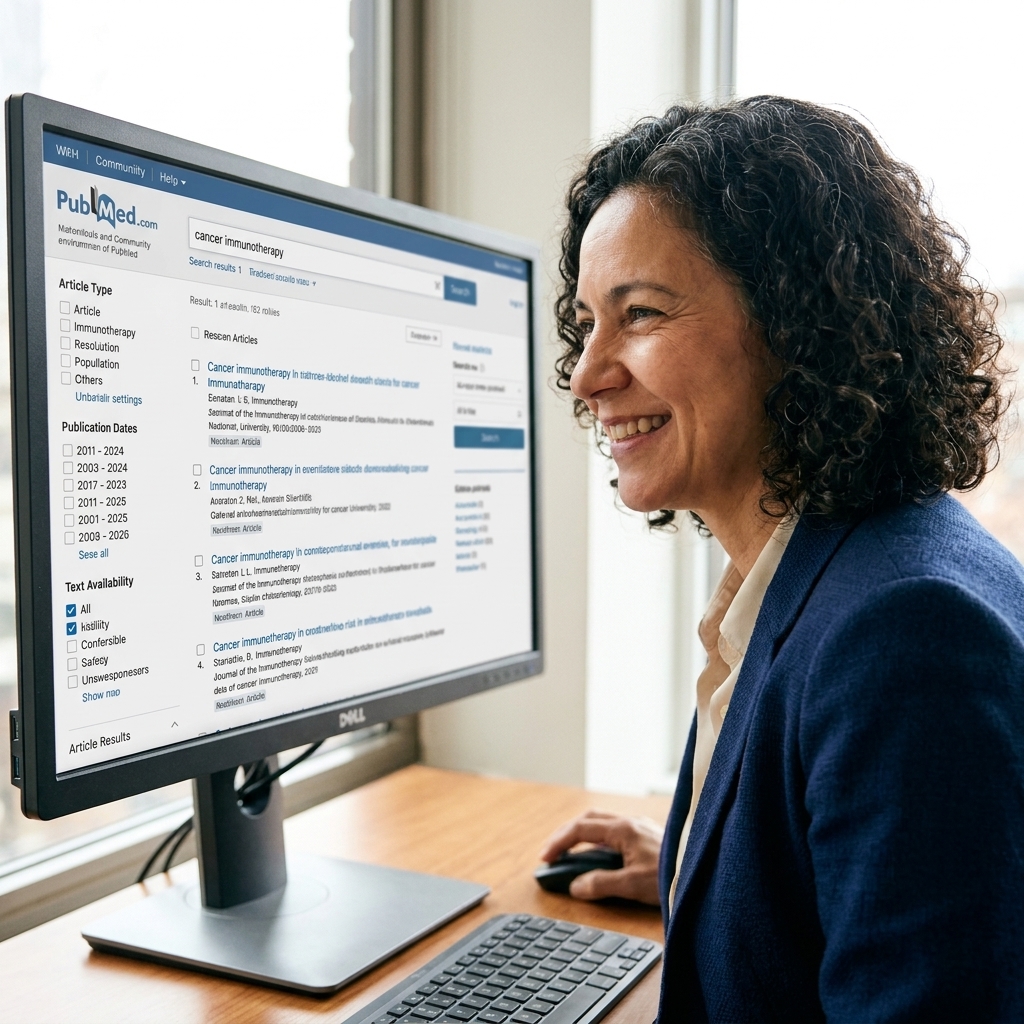
PubMed is the go-to database for medicine, nursing, public health, and biomedical research. It also covers some psychiatry and clinically oriented psychology, but if your topic is primarily psychology, PsycINFO is often the best primary database to add.
Step 1: Start broad, then narrow
PubMed is built to refine. Begin with your core concepts:
(adolescent OR teen) AND (sleep OR insomnia) AND ("social media" OR "screen time")
Step 2: Use MeSH when wording varies
PubMed uses MeSH (Medical Subject Headings), a controlled vocabulary that groups similar ideas under one official term. If you are seeing scattered results because authors use different wording, MeSH can help.
- Look for a MeSH Database link in PubMed.
- Search for a concept (example: “sleep”).
- Use the suggested MeSH term and add it to your search.
Tip: You can combine MeSH and keywords. A common approach is MeSH for the core concept, plus keywords for newer terms that may not be fully captured yet.
Step 3: Use field tags for control
If PubMed’s results feel too broad, add field tags so your keywords must appear in specific parts of the record. Two useful ones:
[ti]for title[tiab]for title and abstract
Example:
(adolescent[tiab] OR teen[tiab]) AND (sleep[tiab] OR insomnia[tiab]) AND ("social media"[tiab] OR "screen time"[tiab])
Step 4: Apply the most useful filters
On the results page, focus on these first:
- Article type: Randomized Controlled Trial, Clinical Trial, Meta-Analysis, Systematic Review, Review
- Publication dates: choose a range aligned to your assignment requirements
- Text availability: “Free full text” can help if you do not have library access, but do not limit yourself too early
- Species: Humans vs other (important in biomedical topics)
- Language: narrow if needed
Step 5: Use NOT carefully
In PubMed, NOT can be tempting when you see off-topic conditions or populations, but it can also remove relevant studies that mention the excluded term in passing. Depending on indexing, it may show up in secondary contexts you did not intend to filter out. When possible, a safer move is to add an inclusion concept or use filters first. If you truly need NOT, consider pairing it with field tags so you exclude more precisely.
sleep[tiab] AND adolescent[tiab] NOT apnea[tiab]
Step 6: Read the abstract like a detective
Before you download anything, scan for:
- Population: Who was studied?
- Method: Survey, experiment, longitudinal study?
- Outcome measures: Sleep duration, sleep quality, mental health indicators?
- Limitations: Small sample size, self-reported data, short study window?
This saves you from citing a source that sounds perfect in the title but does not actually match your thesis.
Google Scholar: Step-by-Step
Google Scholar is not a single database. It is a search engine that indexes scholarly content across publishers, repositories, and universities. That breadth is useful, but it means your filtering habits matter even more.

Step 1: Use phrases, OR, and exclusions
Google Scholar supports phrase searching with quotation marks and the minus sign for exclusions. It also supports OR. It generally treats spaces as an implicit AND.
- Phrase:
"sleep quality" - OR:
teen OR adolescent - Exclude:
jaguar -car
Important limitation: Scholar’s Boolean logic is best-effort, not as strict as most library databases. In particular, it does not reliably handle parentheses for grouping. If you need clean grouping, use Advanced Search fields, or run multiple simple searches and compare results.
Instead of trying to group with parentheses, use repeatable searches like these:
"social media" teen "sleep quality"
"social media" adolescent "sleep quality"
Step 2: Use Advanced Search for structure
In the menu, open Advanced search. Use it to:
- Search in the title when results are too broad
- Limit by date range
- Search by author if you already have a key researcher
- Search within a publication (useful for major journals)
Step 3: Use “Cited by” to go forward
This is one of Scholar’s biggest strengths. If you find one strong, highly relevant article, click Cited by to see newer papers that referenced it.
- Use Search within citing articles to narrow the list.
- Set a year filter to focus on recent research.
Step 4: Use “Related articles” for fast expansion
When you have one perfect match, Related articles often finds similar studies more effectively than starting a new keyword search from scratch.
Step 5: Connect Scholar to your library
If your school or public library provides access to journals, look in Scholar’s settings for Library links. When connected, you may see “Find it at [Your Library]” links that unlock full text.
Filters That Help Most Searches
Each platform has its own layout, but the same few filters tend to make the biggest difference.
Publication date
Use newer sources for fast-changing topics (technology, medicine, current policy). Use older foundational sources for theory or historical context.
Peer review or article type
If your assignment requires scholarly sources, prioritize peer-reviewed journal articles when available, plus systematic reviews and meta-analyses when appropriate. If a platform does not clearly label peer review, verify by checking the journal and its editorial policies.
Discipline or subject
This is a quiet superpower in interdisciplinary topics. If you are researching “motivation,” you will get very different results in Education vs Business vs Psychology.
Full text vs abstract-only
It is okay to start with “free full text” when access is limited, but do not assume “not free” means “not available.” Many schools provide access through their library portal.
From Search to Sources
If research feels chaotic, you are not alone. Here is a steady, repeatable process I teach students:
- Start with one tool that fits your subject (JSTOR for humanities, PubMed for health sciences, Scholar for broad exploration).
- Run a first search using OR synonyms (and parentheses when the platform supports grouping).
- Skim titles and open 5 to 10 promising abstracts.
- Adjust keywords based on the vocabulary you see in strong abstracts.
- Apply 1 to 3 filters (date, article type, subject).
- Save as you go using a citation manager or a running doc with links.
- Use citations strategically: “Cited by” to go forward, reference list to go backward.
Research is not one perfect search. It is a series of small, smart revisions.
Quick Source Quality Check
Finding a source is step one. Citing it responsibly is step two. Before you build an argument on a study, take a minute to check:
- Source type: Is it a peer-reviewed journal article, a book chapter, a thesis, or a commentary?
- Study design: For health topics, a systematic review is often stronger evidence than a single small survey.
- Journal quality: Does the journal look legitimate and transparent about editorial standards? If something feels off, ask a librarian or your instructor.
- Fit: Does it actually address your population, timeframe, and outcome, or just share a few keywords?
Access: Getting the PDF
When a source looks perfect but the full text is locked, try these ethical options:
- Use your school or public library login and search the article by title in the library portal.
- Use the DOI to locate the official record on the publisher site.
- Check for a legal open version in an institutional repository or author webpage.
- Use a tool like Unpaywall to see whether an open access copy exists.
- Ask a librarian about interlibrary loan. It is often faster than students expect.
Common Problems
“I’m getting thousands of results.”
- Move a key phrase into quotes:
"sleep quality" - Add a concept with
AND(population, setting, or method) - Search in Title or Abstract instead of full text
- Use date filters
“I’m getting almost nothing.”
- Remove one concept and try again, then re-add it later
- Replace a specific term with a broader synonym using
OR - Check spelling and try both singular and plural forms
- Use truncation when appropriate (example:
adolescen*) - In PubMed, try MeSH terms for your main concept
“Everything looks relevant, but the PDFs are locked.”
- Check your library website for database access and sign in
- Look for a “Find it at [Library]” option in Google Scholar
- Search the article title to see if it is available in an institutional repository
- Ask a librarian about interlibrary loan
“I keep finding opinion pieces instead of studies.”
- In PubMed, filter by article type (Systematic Review, Clinical Trial, Meta-Analysis)
- In JSTOR, limit to journal content types and narrow by discipline
- Add method terms:
survey,longitudinal,randomized,meta-analysis
Mini Examples
JSTOR example
("bilingual education" OR "dual language") AND (achievement OR "academic performance") AND ("middle school" OR adolescent)
PubMed example
("physical activity"[tiab] OR exercise[tiab]) AND (anxiety[tiab] OR stress[tiab]) AND (college[tiab] OR university[tiab])
Google Scholar example
"project-based learning" OR "problem-based learning" science rubric
Notice the pattern: synonyms connected with OR, concepts connected with AND (explicitly or implicitly), and quotes for exact phrases. Then you refine with filters.
FAQ
Do I have to use Boolean operators in Google Scholar?
You do not have to, but you will usually get better results if you use quotation marks for phrases and OR for synonyms. Just remember that Scholar’s Boolean logic is not as strict as many library databases, so keep searches clean and use Advanced Search for extra control.
How many filters should I use?
Start with one or two. Too many filters too early can hide useful sources. I like to filter by date first, then by article type or subject.
What is the difference between a keyword and a subject heading?
A keyword is the word you type. A subject heading is the database’s official label for a concept (like MeSH in PubMed). Subject headings help you catch articles that use different terminology for the same idea.
Is it okay to cite sources I found on Google Scholar?
Yes, as long as the source itself is credible and fits your assignment requirements. Scholar is a discovery tool. Your job is to evaluate the quality of what you discover.
Final Encouragement
If academic databases have felt intimidating, please hear this: you are not “bad at research.” You are learning a new system, and systems always feel confusing until you have a map.
Start with one database, one topic, and one well-built search. When you find a strong article, let it lead you to the next. That is how real research works, and you are absolutely capable of doing it well.